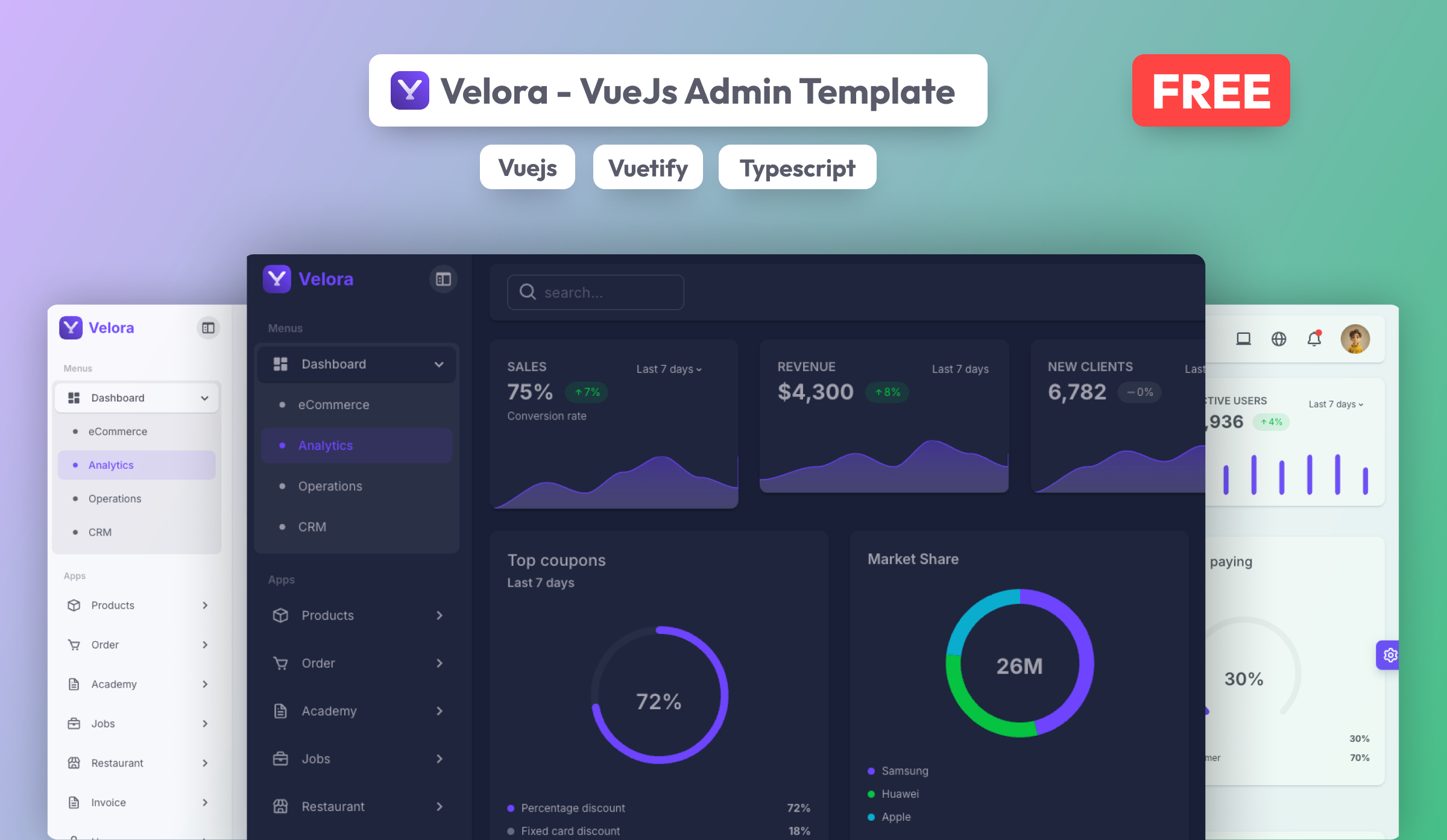
Are you looking for a free and modern Vue 3 admin template to kickstart your next project? Look no further! We’re excited to introduce the Velora Vue.js Free Admin Template, a lightweight, responsive, and feature-packed solution built using Vue 3 & Vuetify 3. 🎉
🌟 Why Choose Velora Free Admin Template?
Admin templates save tons of development time by providing pre-designed UI components, layouts, and a solid foundation for building dashboards. The Velora Vue.js Free Admin Template offers:
✅ Vue 3 + Vuetify 3 – Leverage the power of the latest Vue and Vuetify versions.
✅ Fully Responsive Design – Works seamlessly on desktops, tablets, and mobile devices.
✅ Pre-styled UI Components – Ready-to-use components like tables, charts, and forms.
✅ Developer-Friendly – Well-structured and easy-to-customize code.
✅ Free & Open for All – No cost, just download and start building!
🔥 Live Demo & Download
🚀 Live Demo: Explore the Template
📥 Download Now: Get Velora Free
📌 Features Overview
Velora Free Admin Template comes packed with essential features to make your development experience smoother:
-
📌 Intuitive Dashboard UI – A clean and user-friendly interface.
-
📌 Built-in Vuetify Components – Pre-designed elements for faster development.
-
📌 Dark Mode Support – Easily switch between light and dark themes.
-
📌 Well-structured Codebase – Organized files and easy-to-understand architecture.
🎯 Who Can Benefit from This Template?
The Velora Free Admin Template is perfect for:
-
Developers & Startups looking for a quick admin panel setup.
-
Freelancers building dashboards for clients.
-
Students & Learners who want hands-on experience with Vue 3 & Vuetify 3.
-
SaaS and Enterprise Apps need a customizable backend UI.
🔧 How to Get Started
Getting started with Velora Free Admin Template is easy! Just follow these steps:
1️⃣ Download the template from the official page: Velora Free
2️⃣ Extract the files and open the project folder.
3️⃣ Run the following commands to set up your project:
# Install dependencies
yarn install  # or npm install

# Start the development server
yarn dev  # or npm run dev
4️⃣ Open http://localhost:3000 in your browser and start exploring! 🎉
🎙️ We’d Love Your Feedback!
We’re constantly improving Velora and your feedback matters! If you try out the template, let us know what you think:
💬 Leave a comment below or connect with us.
⭐ Share it with fellow Vue developers to help them build awesome dashboards!
👉 Don’t forget to check out the Velora Pro Version for even more features and premium support!
Happy coding! 🚀✨
#VueJS #Vuetify #AdminTemplate #OpenSource #WebDevelopment #Frontend